How to use Valheim World Modifiers
Valheim has world modifiers that you can use to further customize your experience. Here is how you can use them
- Go to the AleForge Panel
- Stop your server
- Go to
Startup - Find the
Modifiersvariable and enter your modifiers. If you want to use multiple modifiers, separate them with-modifierand put them side by side like this
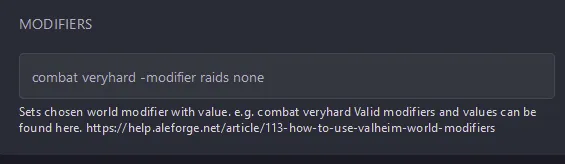
- Go back to the
Consolepage and start your server. - Your server will now start with your modifiers! You can use the F2 menu in game to verify if your modifiers are applied correctly.
List of Valheim World Modifiers
Section titled “List of Valheim World Modifiers”| Modifier Name | Values |
|---|---|
| combat | veryeasy, easy, hard, veryhard |
| deathpenalty | casual, veryeasy, easy, hard, hardcore |
| resources | muchless, less, more, muchmore, most |
| raids | none, muchless, less, more, muchmore |
| portals | casual, hard, veryhard |