How do I add a token to my ECO server?
Quick Links
Section titled “Quick Links”- Using AleForge’s Blacksmith’s Portal
- Self-Hosting/Other Providers
ECO requires that you generate a token from your login at https://play.eco/account. We’ll walk you through the process of setting this up so you can play on your ECO server.
Generating a token
Section titled “Generating a token”- Login to https://play.eco/account
- Under
Server AuthenticationclickGenerate Token

- Copy the generated token as we will need this later
Adding a token to your ECO server
Section titled “Adding a token to your ECO server”Using the Blacksmith’s Portal
Section titled “Using the Blacksmith’s Portal”- Open the Blacksmith’s Portal
- Go to
Startup - Paste your token into the
[ACCOUNT] SLG TOKENfield
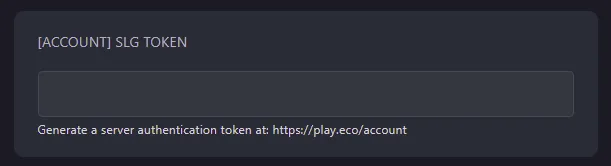
- Start your server
Self-Hosting/Other Providers
Section titled “Self-Hosting/Other Providers”- Go to your where your server files are located
- You will need to add
--userToken=""to your startup file - Between the quotes, paste your token
- Save your startup file, and run it
Closing
Section titled “Closing”Now you know how to add a token to your ECO server!
Get your own super powered and affordable ECO server today!