How Do I Set Up and Access the Kuberentes Dashboard
The Kubernetes Dashboard is a tool used to manage and deploy items to the cluster. It can also be used to debug any issues you may run into in operating your cluster.
[kubectl must be configured](https://support.moonqube.com/article/52-how-do-i- setup-kubectl) prior to proceeding with this guide.
Deploying the Dashboard
Section titled “Deploying the Dashboard”the Dashboard can be deployed in one command:
kubectl apply -f https://raw.githubusercontent.com/kubernetes/dashboard/v2.7.0/aio/deploy/recommended.yamlHow to Access the Dashboard
Section titled “How to Access the Dashboard”By default, the Dashboard is deployed with a minimum RBAC configuration to protect your cluster. You will need to create a user to log into the Dashboard.
Warning: The sample user created in the tutorial will have administrative privileges and is for educational purposes only.
Creating a User/Service Account
Section titled “Creating a User/Service Account”IMPORTANT: Make sure that you know what you are doing before proceeding. Granting admin privileges to Dashboard’s Service Account might be a security risk.
First, create the service account:
kubectl create serviceaccount admin -n kubernetes-dashboardCreate a ClusterRoleBinding for the service account:
cat <<EOF | kubectl apply -f -
---
apiVersion: rbac.authorization.k8s.io/v1
kind: ClusterRoleBinding
metadata:
  name: admin
roleRef:
  apiGroup: rbac.authorization.k8s.io
  kind: ClusterRole
  name: cluster-admin
subjects:
- kind: ServiceAccount
  name: admin
  namespace: kubernetes-dashboard
EOF
Get the Bearer Token
Section titled “Get the Bearer Token”Use the following command to create the token used to access the dashboard:
kubectl -n kubernetes-dashboard create token adminCopy the output as you will use it in a moment.
Proxy to the Dashboard
To access the Dashboard, you need to proxy the Dashboard so your web browser can access it.
kubectl proxyNext open your favorite web browser and open the following URL the proxy has made available:
http://localhost:8001/api/v1/namespaces/kubernetes-dashboard/services/https:kubernetes-dashboard:/proxy/You may see an error saying this is not a secured site. You can accept the risks to continue
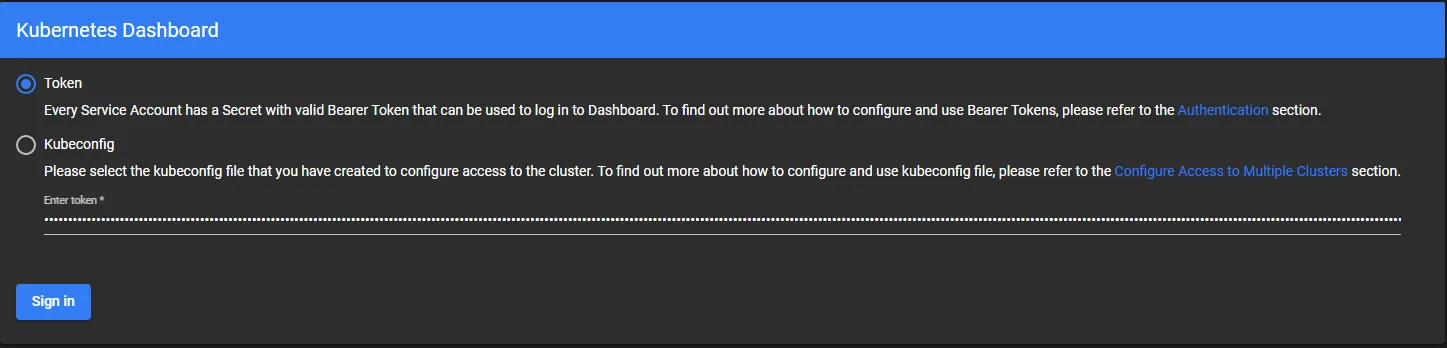
Next, you need to input the Bearer Token you created earlier:
Congratulations you can now use the Kubernetes Dashboard.