How do I change the server name of my Icarus server?
Quick Links
Section titled “Quick Links”- Using AleForge’s Blacksmith’s Portal
- Self-Hosting/Other Providers
You can change how your Icarus server appears in the server browser. This guide will explain how to do that.
Changing your Server Name
Section titled “Changing your Server Name”Using Blacksmith’s Portal
Section titled “Using Blacksmith’s Portal”- Open the Blacksmith’s Portal
- Go to
Startup - Change the
Server Namevariable to your desired value
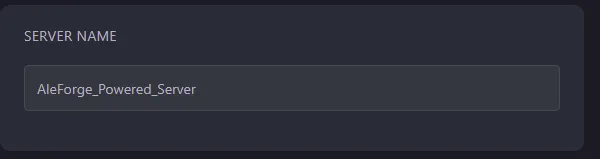
- Restart your server
Self-Hosting/Other Providers
Section titled “Self-Hosting/Other Providers”- Open the directory where your server is installed.
- Locate the startup script for your server and open it.
- Change
-SteamServerName=to the name you would like your server to have. e.g-SteamServerName=MyIcarusServer - Restart your server
Closing
Section titled “Closing”Now, your Icarus server’s name in the server browser will reflect what you have changed it to.
Get your own super-powered and affordable Icarus server today!