How do I upload a Prospect to my Icarus server?
Quick Links
Section titled “Quick Links”- Using AleForge’s Blacksmith’s Portal
- Self-Hosting/Other Providers
You can upload your singleplayer hosted games to your Icarus server.
Finding your Singleplayer Prospect
Section titled “Finding your Singleplayer Prospect”By default, Icarus stores singleplayer prospects to the following directory.
C:\Users\<USERNAME>\AppData\Local\Icarus\Saved\PlayerData\<YourSteam64ID>\Prospects
In this file you’ll find all of the Prospects you’ve created.
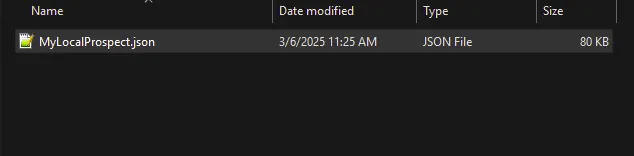
Uploading your Prospect to your Icarus server
Section titled “Uploading your Prospect to your Icarus server”Using Blacksmith’s Portal
Section titled “Using Blacksmith’s Portal”- Open the Blacksmith’s Portal
- Stop your server
- Go to
Files - Navigate to
/Saved/PlayerData/DedicatedServer/Prospects - If you have not created any Prospects on your server before, you will have to create this file path
- Drag and drop your Prospect file to this folder
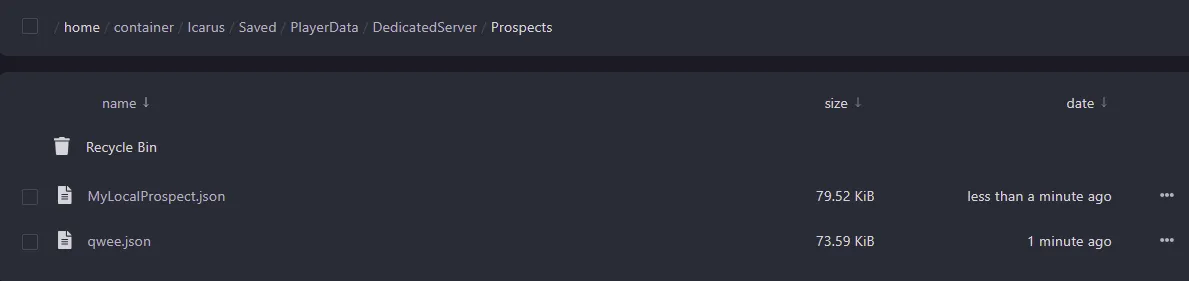
- Restart your server
Self-Hosting/Other Providers
Section titled “Self-Hosting/Other Providers”- Stop your server
- Find where your Icarus server is installed
- Navigate to
/Saved/PlayerData/DedicatedServer/Prospects - If you have not created any Prospects on your server before, you will have to create this file path
- Drag and drop your Prospect file to this folder
- Restart your server
Closing
Section titled “Closing”Now you know how to upload the Prospect from your singleplayer Icarus games to your server!
Get your own super powered and affordable Icarus server today!